Changelog

Notable changes to this project. Not strictly Keep a Changelog format, but same spirit β€” human-readable, most recent first.

  1. Track the last reasoning change at a glance

    Reasoning sessions now put an ASCII status card above the direction choices to summarize the latest proposal, acceptance, dispute, or lack of change, and the final view choice lists available trees with node counts and a direct prompt for viewing one.
  2. Open reasoning diagrams without installing a renderer

    The reason-commons skill now generates standalone HTML diagrams with inline SVG, so accepted trees open in a browser without Graphviz, Node, or a Mermaid renderer.

  3. Skills README you can hand to a colleague

    skills/README.md now leads with a simple installation path and copy-and-paste prompts for both conversational reasoning and source-to-project conversion. It explains that reason-commons is a candidate successor to ltp-project, while ltp-project remains the route to an app-importable file and ltp-visualize still needs a clone of this repository. ltp-project no longer asks for an app checkout to validate its output; it labels the file unvalidated instead, and a standalone check is tracked as a follow-up.

  4. Build trees together and see what changed

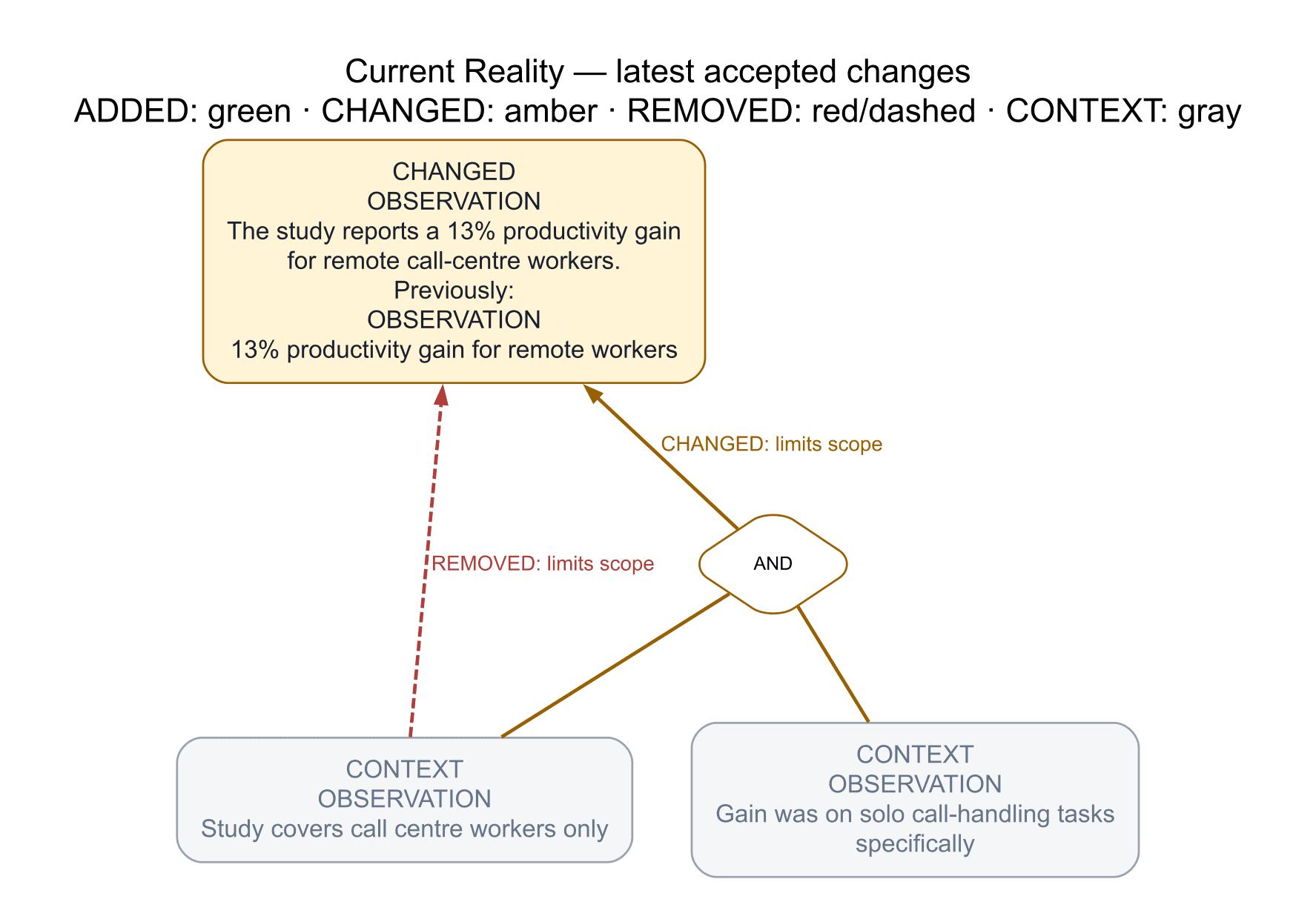
    The new reason-commons skill helps individuals and groups develop Thinking Process trees through concise conversations, retaining contributors' ideas and unfinished reasoning. Explicitly accepted changes now preserve a numbered snapshot and produce two diagrams: the accepted tree and its latest changes, with earlier wording and removed connections visible for review.

    Sessions offer labeled choices to refine the reasoning, explore difficulties, capture another thought, or view the tree, with a compact status line showing the driver, other participants, and current focus. Tree requests include clearly labeled proposals so the reasoning is visible before anything is accepted. Natural review checkpoints now invite users to test, revise, continue developing, or provisionally accept a coherent proposal.

    Collaboration sessions now resume through the existing Beads handoff, with outstanding reasoning linked to work items and task completion kept separate from endorsement.

    A remote-work toy example shows revised wording in amber, the old connection in dashed red, and unchanged neighboring observations in gray.
  5. Preview LTP project files in the dashboard

    You can now export an .ltp.yaml candidate as a standalone HTML dashboard and open it directly in the browser with the ltp-visualize skill. A local-server preview is available too; neither path changes the candidate or imports it into a Reason Commons space.

  6. See the Current Reality causal graph on opening

    Standalone LTP previews now open with the Current Reality tree expanded, showing the source's causal links and feedback loops immediately while leaving disconnected observations separate.

  7. The project has a model of itself, and NEXT.md is read off it

    ltp/reason-commons/reason-commons.ltp.yaml is Reason Commons β€” the group developing the app β€” as one Logical Thinking Process model in the interchange format the app imports, written with ltp-project from the app repository's docs and features, this repository's own statements of purpose, and every open issue here. All seventeen open issues sit in its transition tree with the need and expected effect their authors stated; the report beside it says where each landed and why, what the model does not claim, and which calls are still a person's. It is a candidate until ratified in the Reason Commons commons; the folder is kept off the published site because the reviewing surface for a candidate is GitHub. NEXT.md is now generated from the model's transition tree by the app repository's bun scripts/next-from-ltp.ts β€” actions nothing precedes first, then the rest in the order their links give β€” so what to do next is a consequence of the reasoning rather than a second list.

  8. One skill for LTP project files, and the 2R Research Circle leaves the dashboard

    There is now one way to write an LTP model with an AI: skills/ltp-project, which produces the Reason Commons *.ltp.yaml project file β€” the same interchange document the app imports and exports as JSON or YAML, version and event history included β€” from a PDF, a Markdown document, a repository's plans and issues, a roadmap or meeting notes, with a report of every judgment call. It is a byte-identical mirror of the canonical skill in Promise-Foundation/reason-commons; edit it there and copy it here. The older project-ltp skill is deprecated: its ltp-model.yaml was a second, incompatible format that the app cannot import and that carries no history, and its GitHub issue sync is now done by the Reason Commons projection, which writes and reconciles managed issues itself. The skill's read-only dashboard stays as a viewer for the legacy models still bundled here.

    The 2R Research Circle project is gone from the dashboard: its model was the July 2026 analysis, superseded by the live Reason Commons space connected to the 2R-Research repository, which exports the current model to that repository as .reason-commons/<space-id>.ltp.json. The throughput track that fed it β€” counted from this repository's Git history β€” went with it, so throughput.config.json now holds no tracks and the generator tolerates that. The dashboard was rebuilt and republished; the Second Renaissance and the software-engineer example remain.

  9. Future updates signup

    The Reason Commons landing page’s future-updates signup

    The landing page now offers a low-volume way to register interest in future Reason Commons updates. It records the request without starting a newsletter or sending email.

  10. A claim tree for the climate transition

    The annotation demo now opens on β€œCan the world switch to clean energy in time?” with three linked IEA reports mapped to specific claims about emissions pace, renewable scale, grids, electrification and nuclear tradeoffs. The closing now leads to an on-page appendix with AI-control evidence from METR, the International AI Safety Report and Eliezer Yudkowsky, plus the original randomized Ctrip remote-work experiment.

  11. The room's contributions, proposed against the tree

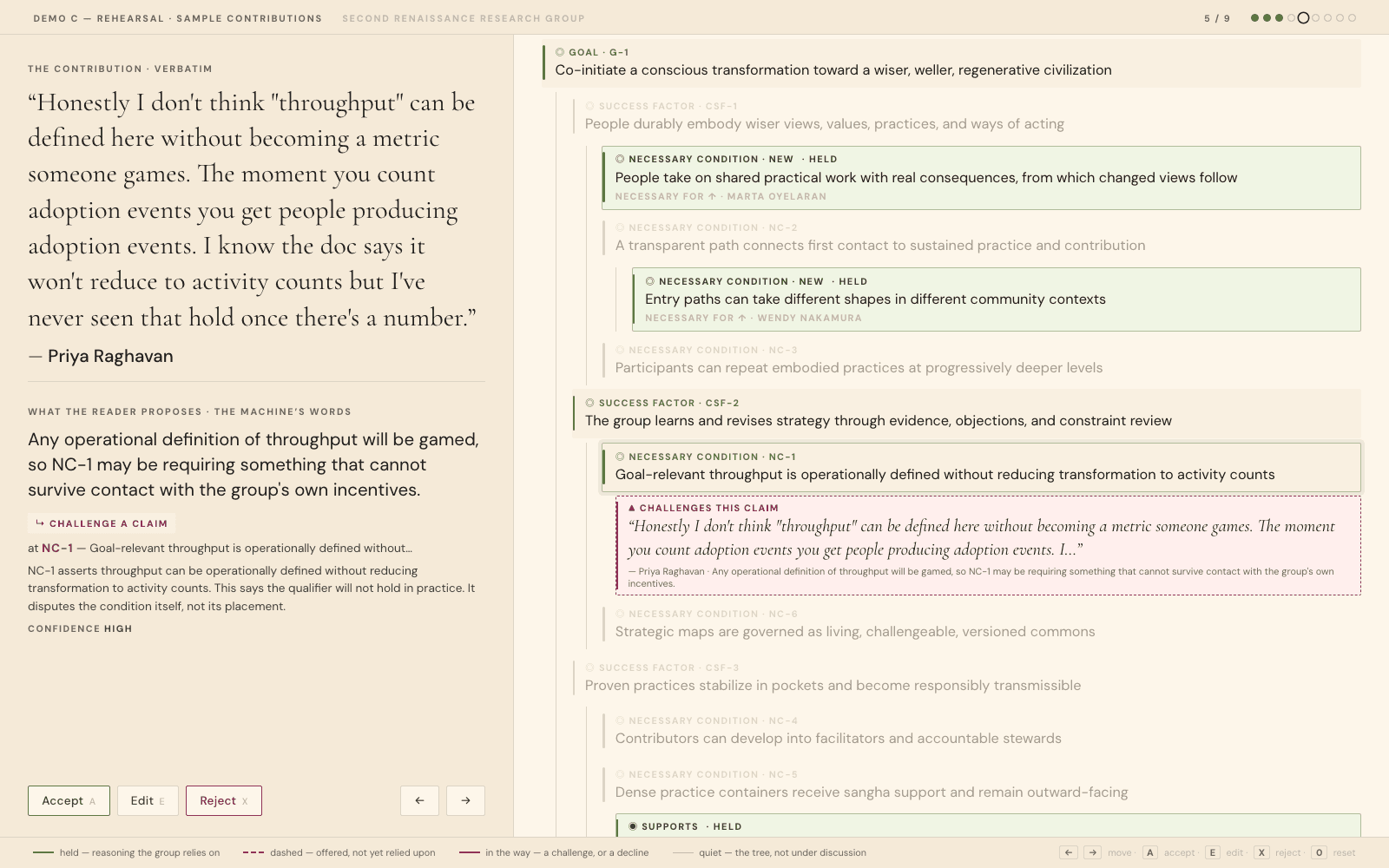
    The review page: Priya Raghavan's contribution quoted at full size on the left with the reader's proposed change beneath it, and on the right the Second Renaissance goal tree as an indented outline β€” the path from the goal down to the condition under discussion at full strength, the rest of the tree quiet, a dashed rust challenge attached to that condition, and three proposals the room has already accepted sitting solid in green further up.

    A new contribution-proposals skill turns a batch of raw participant contributions β€” a Google Doc export, a form dump, whatever a room actually wrote β€” into one reviewable proposal each for how it might extend, support, challenge, or fail to fit an existing tree, and renders the set as a page the group works through together: accept, edit, or reject, with accepted proposals turning from dashed to solid and staying, so by the last one the tree on screen is the original plus everything the room agreed to. Contributions are quoted verbatim, the machine's reading is labelled as the machine's, and nowhere to put it is a first-class result rather than a failure β€” a contribution the tree cannot hold may be the most useful thing in the batch. Nothing merges: ltp/ltp-model.yaml is read-only to the whole pipeline, and refreshing the page throws the room's decisions away, which is the honest behaviour for a tool with no standing over the tree. The skill builds to a stamped, unpublished test route by default, so a half-read batch can be served and clicked through before anything touches the page that ships. Reading a contribution that arrives in its own vocabulary β€” a permaculture cooperative, a mutual credit network β€” is most of the work, and the skill's guidance is about finding the operative claim inside the experience that earned it rather than reaching for the nearest keyword. Ancestors of whatever is under discussion stay at full strength up to the root, because a claim you cannot trace to a goal is not one anyone can review. Built for Demo C of the talk, where it ships with a rehearsal build from nine contributions. Running Demo C is the runbook for presenting it without having built it.

  12. Linkable dashboard views

    The dashboard now keeps the open project and tree in the URL, so a single view β€” the Second Renaissance current reality tree, say β€” can be linked to directly instead of "open the dashboard, pick the project, click Reality", and Back and Forward walk the views visited. Stale links degrade rather than break: a tree the project has not modelled opens its overview, and an unknown project lands on the picker. The shape of the links is in docs/dashboard.md.

  13. Landing page and navigation redesign

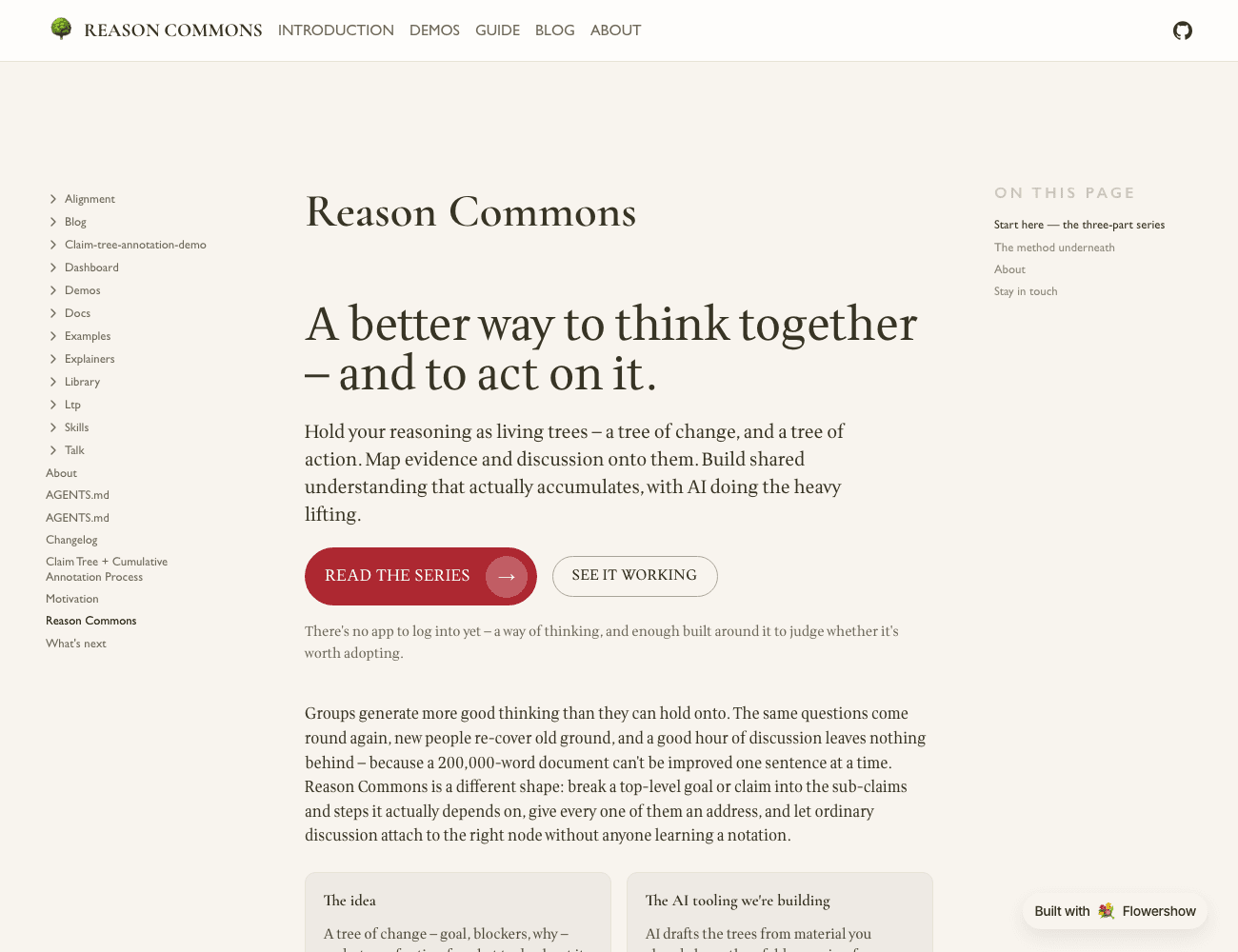
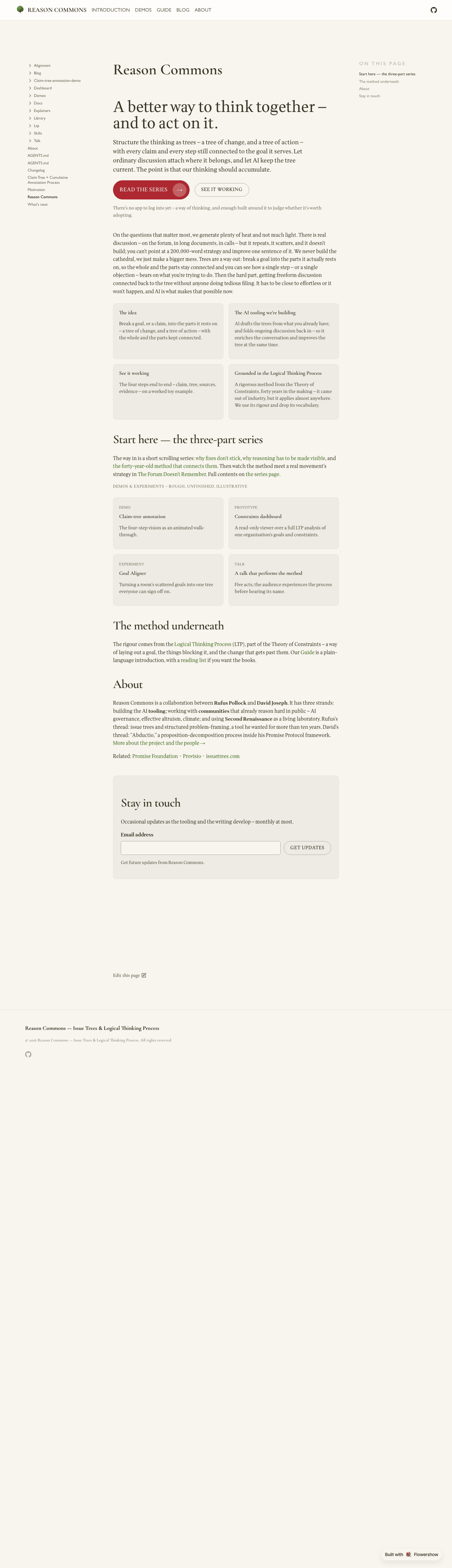
    The redesigned landing page: a large heading "A better way to think together β€” and to act on it.", a one-line summary, a red "Read the series" button and an outline "See it working" button, then a row of cards β€” The idea, The AI tooling we're building.

    The front page now leads with what the site actually is β€” a better way to think together and to act on it: trees of change and trees of action, evidence and discussion mapped onto them, with the AI tooling as the bet β€” and offers two co-equal ways in, the series and the demo. The prose that used to fill the page moved into an About section below the fold. The nav went from Goal Aligner Β· The Series Β· Dashboard Β· Blog to Introduction Β· Demos Β· Guide Β· Blog Β· About; Goal Aligner and the other rough pieces are gathered under Demos, and the Logical Thinking Process now has a plain-language Guide in front of its analysis documents. Goal Aligner moved from /alignment/ to /demos/goal-aligner/. Design notes: docs/plans/2026-09-01-site-positioning-and-landing-redesign.md.

  14. Plain versions of two explainers

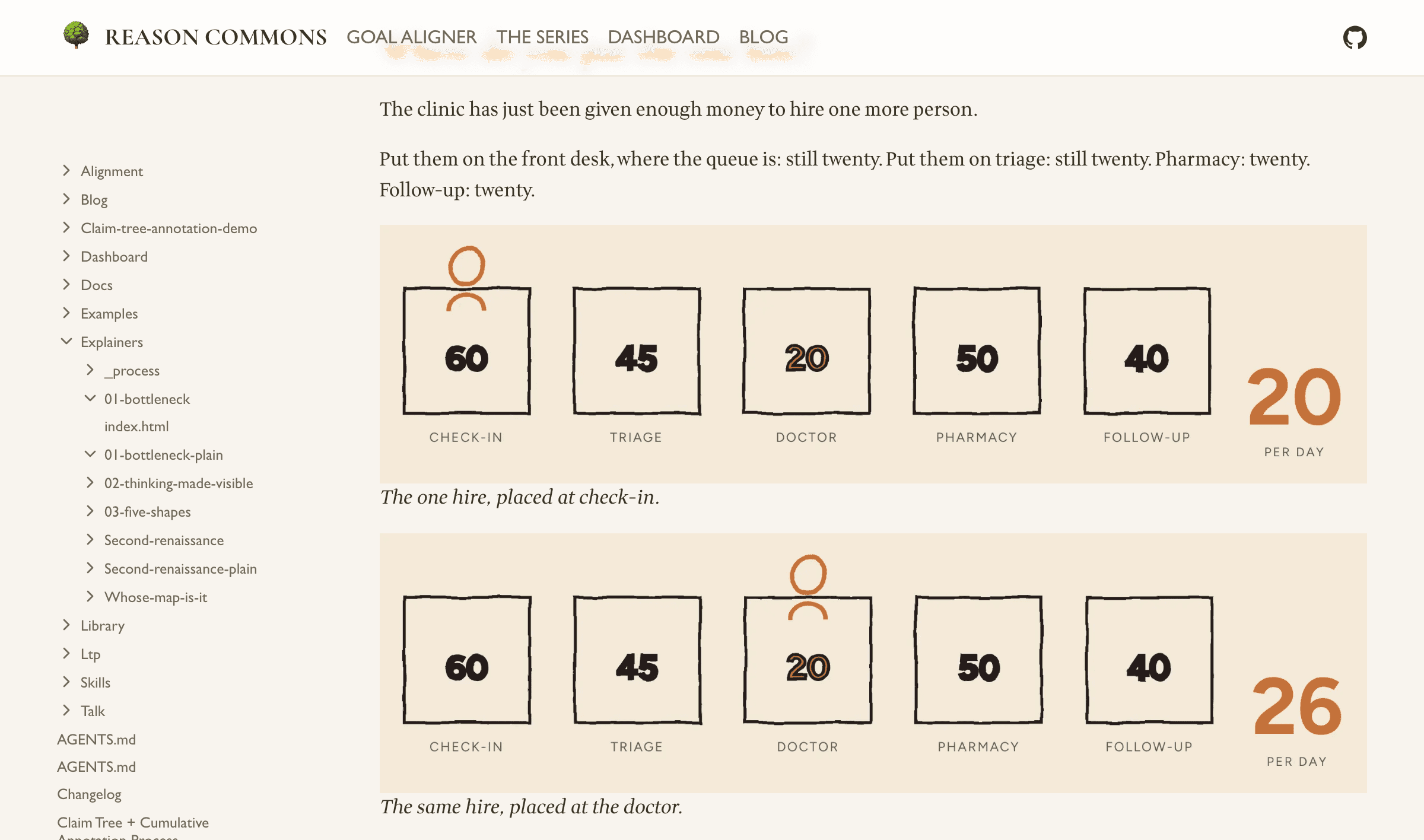
    The "where do you put the one hire?" passage from the plain version of The Wrong Queue: a line of prose, then two static drawings of the five stations with the new hire standing first at check-in (output twenty) and then at the doctor (output twenty-six).

    The Wrong Queue and The Forum Doesn't Remember now each have a plain, non-scrolling companion: the same prose as a classic illustrated essay, with the drawings held still β€” and the passages that were animations shown as two or three stills side by side. Nothing to scroll-trigger, no JavaScript. They exist to be usability-tested against the scroll-driven originals, which are unchanged; both are linked from the series index.

    The landing page also had a pass β€” one primary "read the series" call instead of four equal buttons, the "Project LTP" wording dropped from the visitor-facing copy, and the dashboard build-and-serve instructions moved out to docs/dashboard.md.

  15. Mobile fixes to The Forum Doesn't Remember

    A beat-by-beat browser sweep of The Forum Doesn't Remember, and Doesn't Cumulate (formerly Somewhere to Put It) turned up four collisions. Three were phone-only: the "rooted in an actual place" cards in the two timeline stages sat on top of one another, and the "is necessary for" label on the goal-tree stage ran off the right edge. The fourth was on the desktop layout β€” a caption grew over the diagram at middling widths β€” and was fixed by tightening the prose rather than moving it. The superseded story/ draft that this piece replaced has also been removed from the repo.

  16. A talk that performs the method

    A presentation deck at talk/index.html, built so the audience experiences the Logical Thinking Process before hearing its name. Five acts, each opening on an audience-facing question rather than an artefact: why good conversations go nowhere, what better would look like, the conflict in the way, what changes if it dissolves, and what to do next. The LTP names are withheld until the fifth act, where a ledger maps each act back to the tree that produced it and the deck becomes evidence for its own argument.

    An unlabelled five-node spine advances act by act in the corner, so the room registers structure without being told what it is; on the reveal slide the same spine fills in with current reality, goal, conflict, future reality, next steps. The visual system carries the act-three tension directly β€” loose italic conversation at the edges, a hairline reasoning graph drawing itself, one amber node for whatever was newly contributed.

    Single self-contained file, fixed 1920x1080 stage that letterboxes rather than reflowing, arrow-key and swipe navigation, #n deep links, and inline text editing behind the E key.

  17. A way in to every explainer

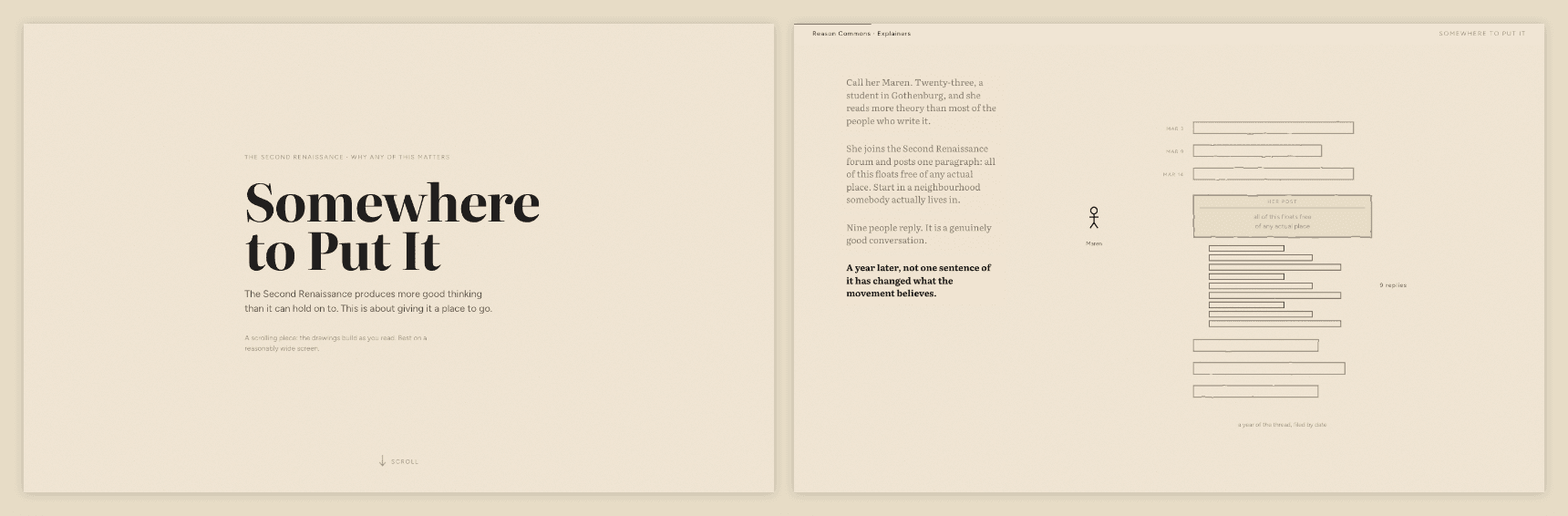
    Left, the title screen that now opens Somewhere to Put It, with a scroll cue at the foot. Right, Maren's story stacked down the left of the drawing, four blocks in order with the live one bright.

    All five scrolling explainers now open on a landing β€” a title, a scroll cue and a thin bar back to the rest of the site β€” instead of dropping the reader inside a pinned drawing with no headline and no sign that the page moves. They also respond faster: the second beat of a section used to take a screen and a half of scrolling and now arrives in under half a screen. In Somewhere to Put It, Maren's story stacks down the left of the drawing rather than each beat wiping out the last β€” or start at The Wrong Queue, which is the way into the series.

  18. Somewhere to Put It

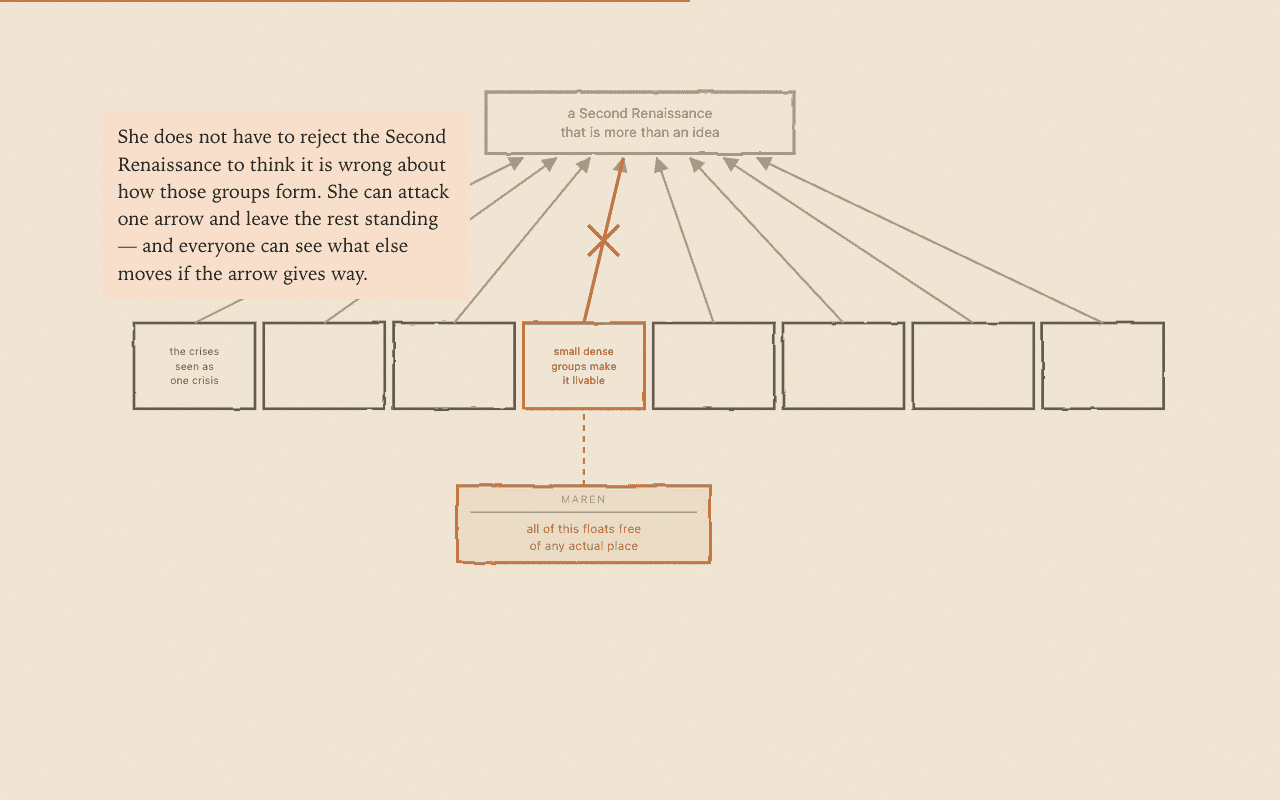
    The map of the eight conditions, with one contributor's objection attached to a single condition and the arrow above it struck through

    A fourth scrolling explainer, and the first that applies the method to a real problem rather than an invented clinic. Somebody posts the best paragraph they have written in a year to the Second Renaissance forum, nine people reply, and a year later nothing they said has changed what the project believes β€” not for want of intelligence or goodwill, but because there is nowhere to put a good thought. The piece is the case for giving every claim in the project's strategy an address, and for letting a machine do the filing so that contributing costs one sentence rather than five diagrams. It is a sibling to the trilogy, not a part four β€” someone handed only this link, with no series behind them, still gets a complete read. Every diagram comes from the group's actual five trees.

    An earlier version of this piece, Whose Map Is It, retold a single internal argument about the word "throughput". It was replaced as the way in β€” it assumed a reader already inside the trees β€” but it goes somewhere the accessible version deliberately does not, so it now stands on its own at explainers/whose-map-is-it/ as the deeper cut, linked from the series index and from Somewhere to Put It.

    All four explainers also had their running text reset β€” larger, at the size of the annotations inside the drawings rather than a size below them, and in Literata, so prose and graphics read as one voice and the page looks the same on every machine instead of picking a different serif on each.

  19. The explainer trilogy, finished

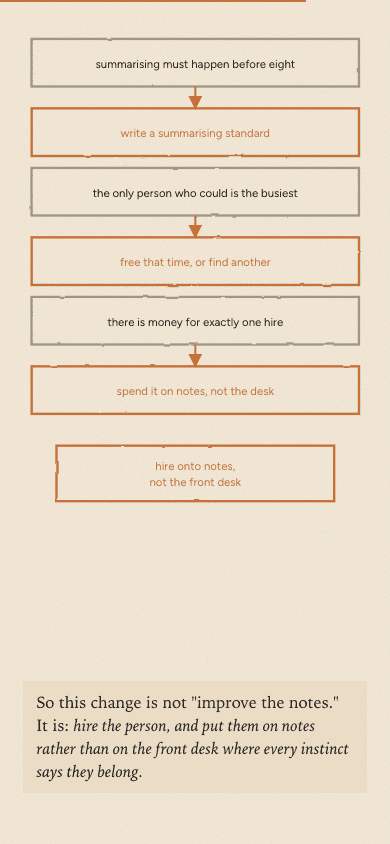
    Five Shapes read on a phone: the obstacles and what gets past each one, stacked and legible

    Drove all three explainers in a real browser and fixed what only shows up there β€” captions sitting on top of the very thing they were pointing at, boxes falling off the edge of their own drawing, a chain of arrows that read as a tangle. Parts two and three now have portrait layouts to match part one, so the diagrams are readable on a phone instead of shrinking to a ribbon, and the series finally uses the real Organic colours and Figtree rather than a palette that was merely close.

  20. Repo gardening

    Rebranded to Reason Commons, turned the README into a real landing page, and tidied the explainers folder and docs β€” no new content, but the site now reads as a finished project rather than a workspace. Also fixed the diagrams in The Wrong Queue, which had been rendering as raw markup instead of pictures.

  21. Explainer trilogy: drafted, built, and shipped in two formats

    Three-part LTP explainer series in explainers/, replacing the earlier single story/ piece as the project's introductory narrative. Each piece went through a script pass (draft β†’ self-critique β†’ independent fresh-agent critique with no authorship context β†’ revision), then a visual build.

    • Added skills/scrollable-explainer/ β€” general-purpose write-up of the scroll-driven ("scrollytelling") explainer form, with a full measured teardown of a ProPublica piece as the worked case study.
    • Wrote and built three pieces: The Wrong Queue (01-bottleneck), The Arrows Nobody Checks (02-thinking-made-visible), Five Shapes (03-five-shapes).
    • Each part now ships in two forms from the same finalized prose:
      • article.md β€” static markdown with inline SVG figures, no <script> (matches the story/draft.md convention)
      • index.html β€” scroll-driven animated version, via shared explainers/scroller.js / scroller.css
    • explainers/index.html lists both formats per part.
    • Mobile portrait layout for piece 1's five-station diagram (pieces 2–3 still pending).
    • explainers/NEXT.md β€” checkpoint with open questions and a prioritized follow-up list. Tracked in issue #6.

    Known gaps: pieces 2–3 need the same mobile pass as piece 1; piece 3's HTML page renders empty with JavaScript disabled; the scroller uses an ad hoc palette rather than the real Organic design tokens; story/'s fate is undecided.

Built with LogoFlowershow